A live fire door register for your whole estate — and the evidence behind it.
Every door gets a permanent QTAG. Every inspection, by any contractor, attaches to it. When the fire service, a regulator or a resident asks about a door, the answer is one scan away rather than a week of email.
A 20-minute call · No card needed
Why now
Quarterly checks, golden thread, resident information — one register serves all of it.
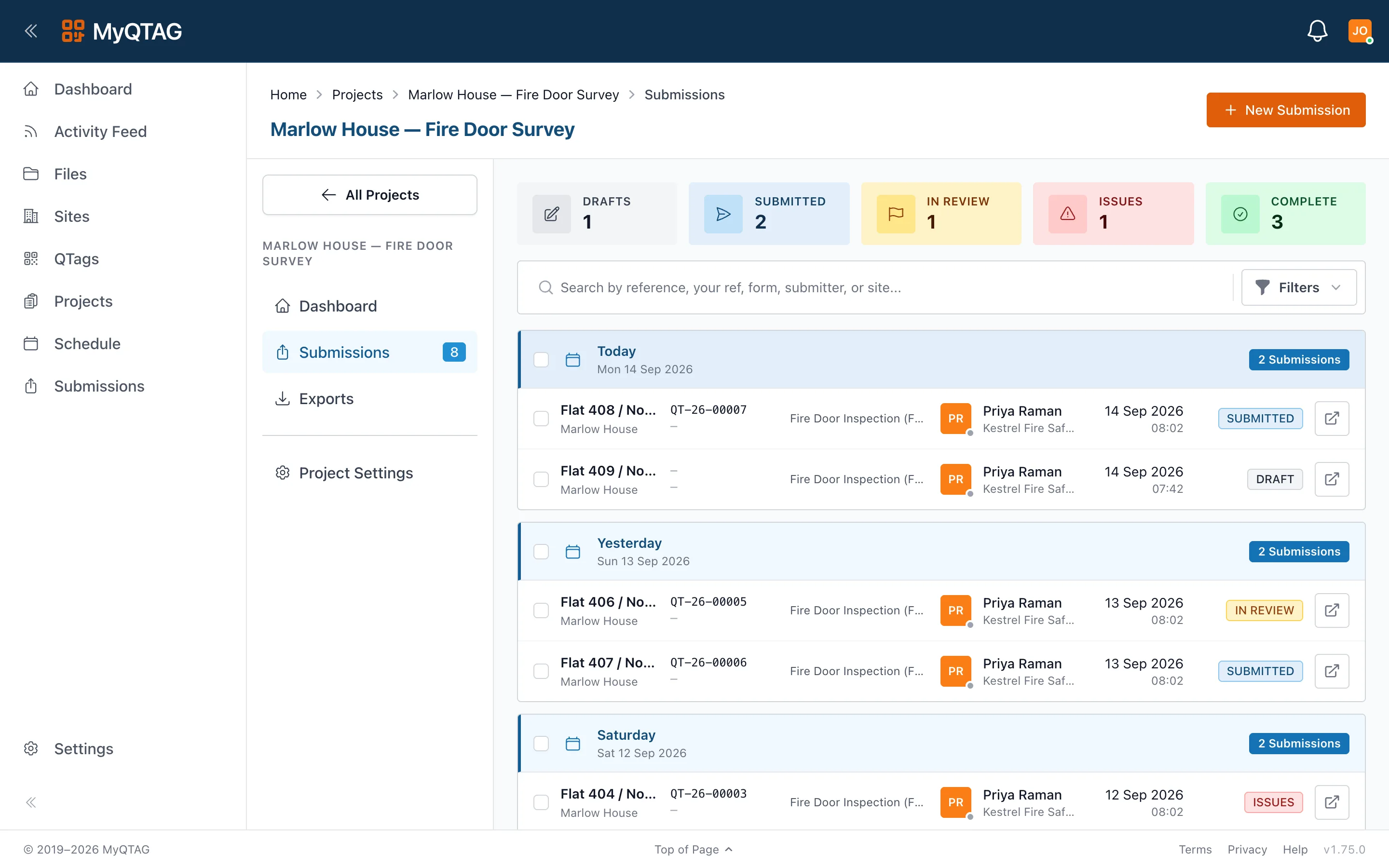
The Regulation 10 checks
In buildings with a storey over 11 metres, quarterly checks of communal fire doors and annual best-endeavours checks of flat entrance doors. The schedule and the evidence in one place.
History that outlasts the contract
A door's install, inspections, remedials and replacement stay with the door — not with whoever held the contract when they happened.
Requests answered from the record
Produce a door's history, or a block's position, from the register rather than from somebody's inbox.
This describes the duties in general terms. It is not advice about your building, and it does not replace your fire risk assessment or the guidance published alongside the Regulations.
Estate register
Model the estate once. Tag it once.
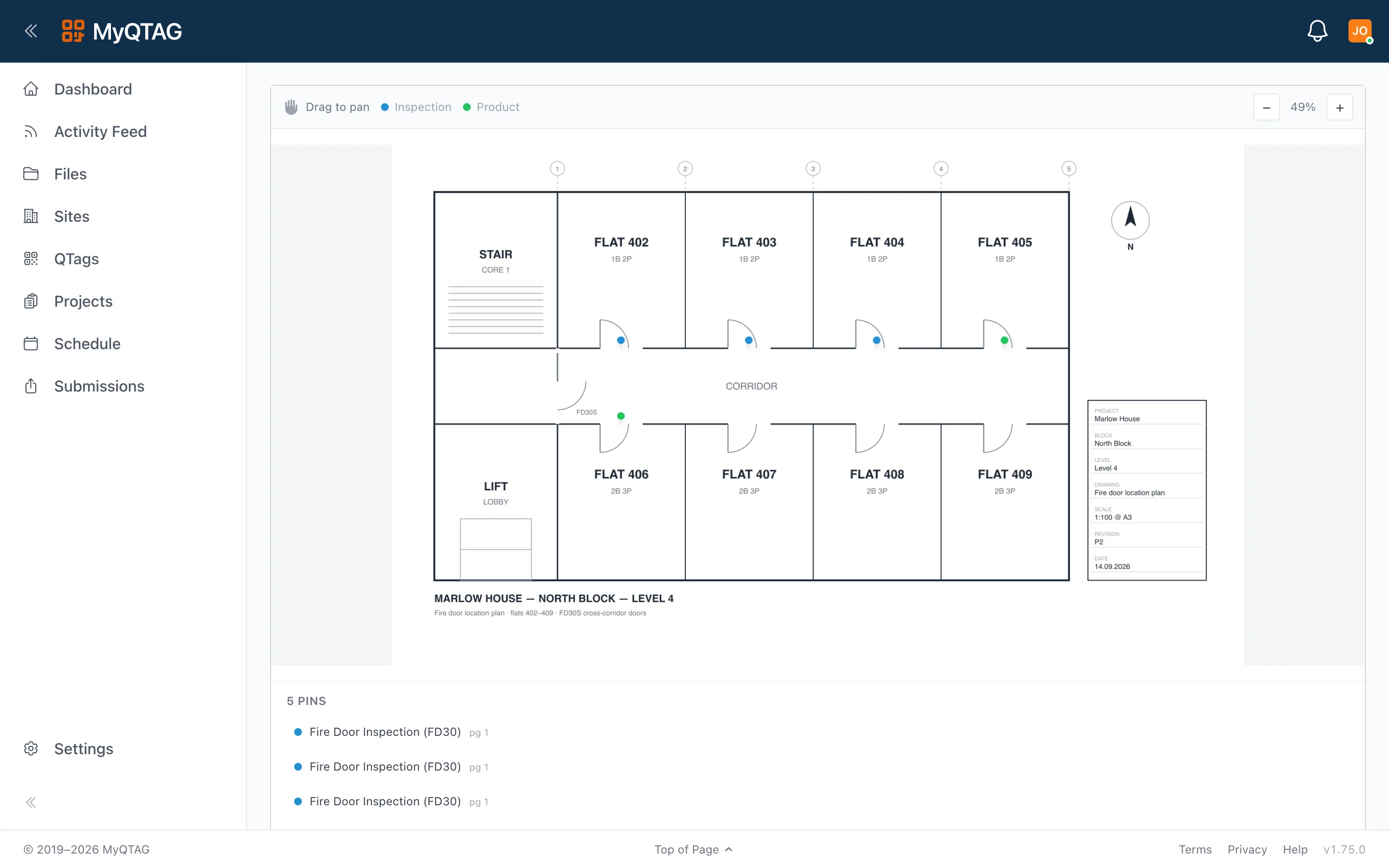
Sites, blocks, floors and locations mirror your buildings, with floor plans and pins on the page each floor owns. Each door's QTAG is the permanent key to its record, whoever is holding the phone.
- The UPRN names the building, so the same block reads the same across teams
- Cross-contractor history on every tag
- Archive rather than delete — the record is never lost
Contractors
Bring your contractors in, on your terms
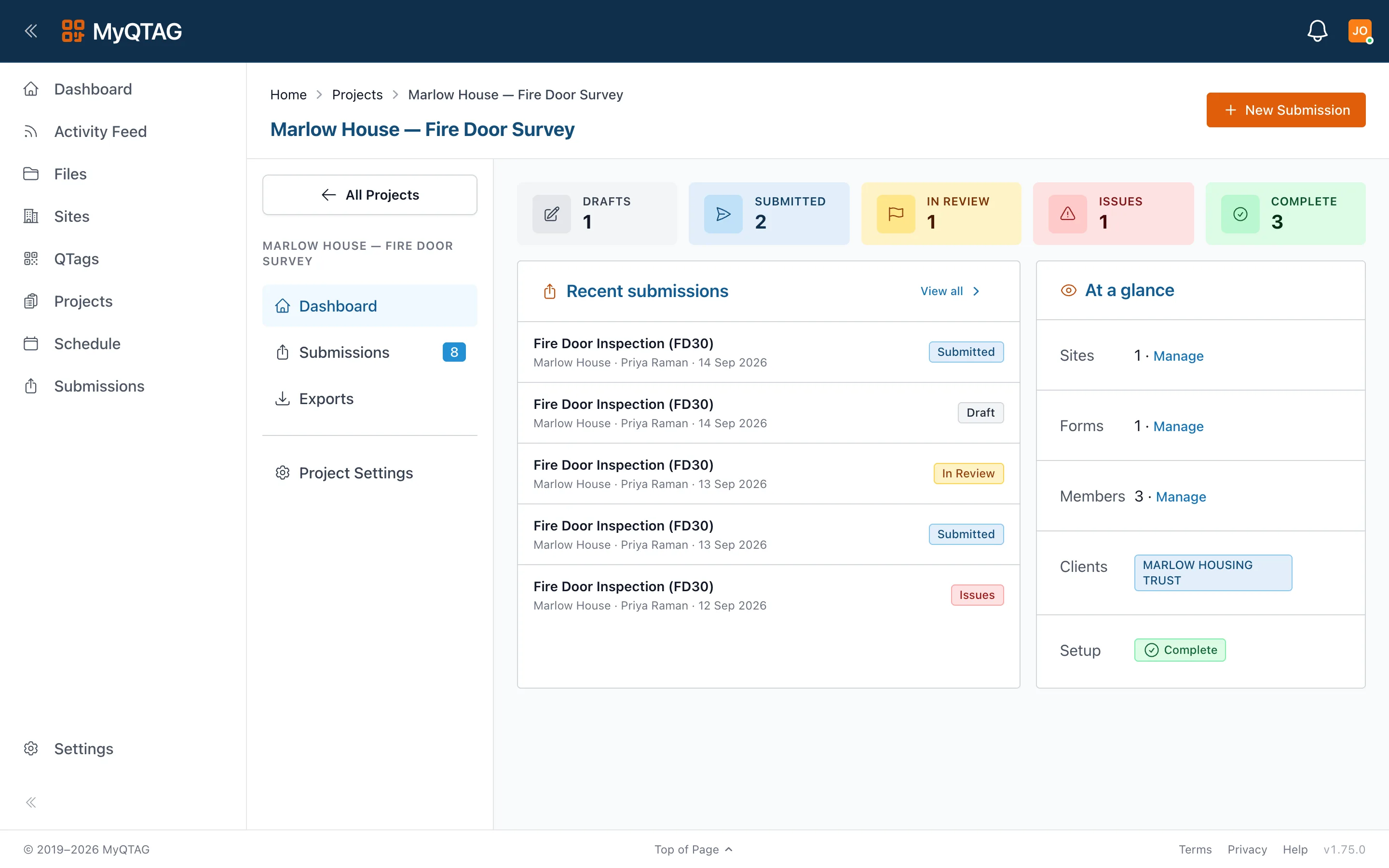
Connect a contractor to your projects. They use the same app, capture against the form template you require, and you see approved work as it lands. Change contractor and the tags, the history and the floor plans stay with you.
- Require a form template on a project
- Review submissions before they count as complete
- A contractor sees only what you share with them
Evidence
Audit-ready output, on demand
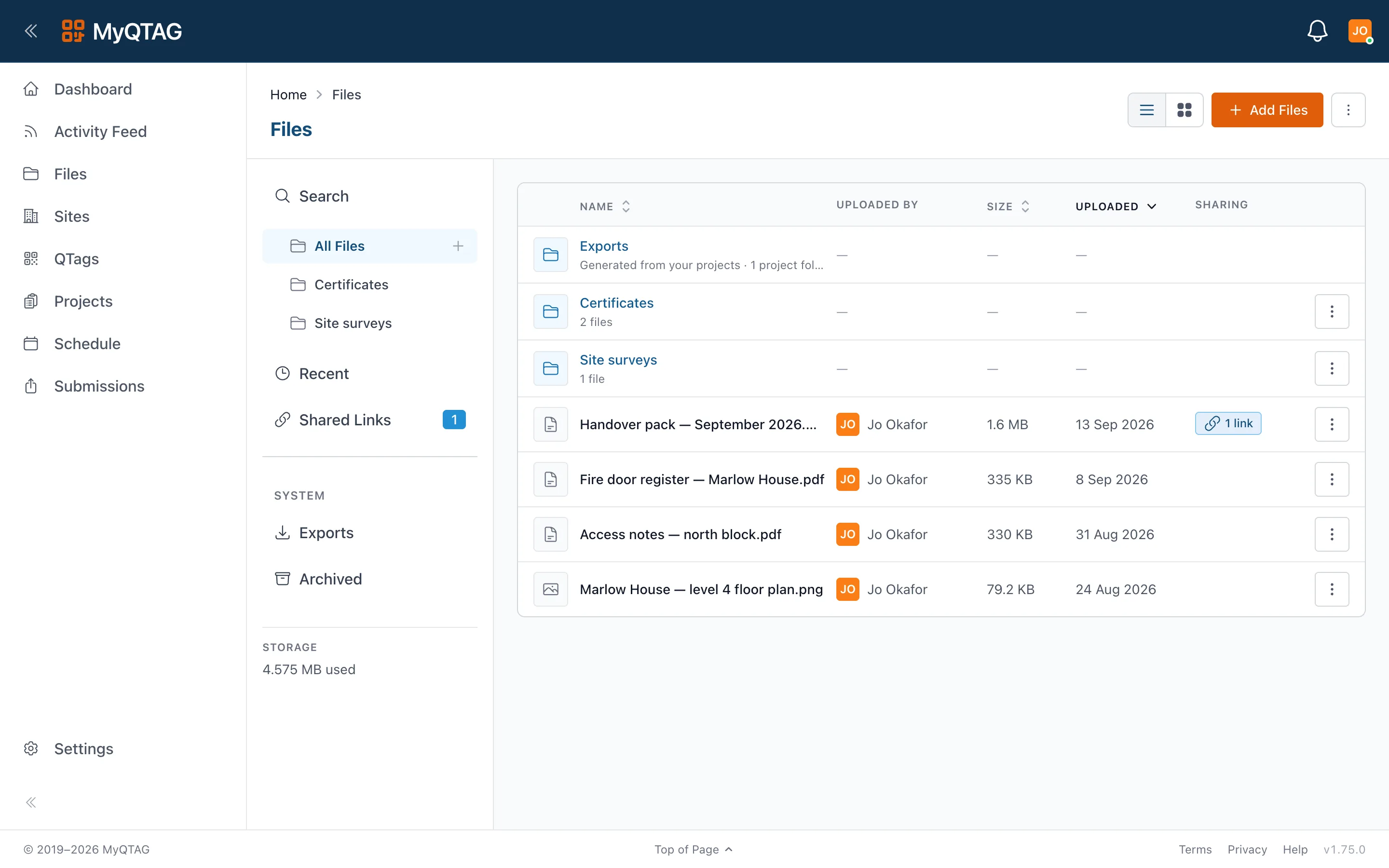
Completing an inspection generates the branded PDF automatically, with the floor-plan callout. Bulk exports and a file manager with signed, revocable share links mean a block's evidence can be handed over without a memory stick.
- Export templates and file naming you configure once
- Share links you can revoke, with a record of who opened what
- Every submission kept, so the fault and the fix both stay on the door
By discipline
Both halves of the same register
Fire doors
Every door on its own tag
Checked against a template, pinned to the floor plan, with a history that survives whoever inspected it last.
See fire doors
Fire stopping
Every penetration, where it actually is
The product, the position on the drawing, the person who fitted it and the photos — readable a year later.
See fire stopping
Let's look at one of your blocks.
Book a 30-minute demo and bring a floor plan — we will show you the register, the app and the report on your own building.