From site survey to signed-off report, without the paperwork.
Every door carries its own QTAG and its own history. Surveys, installs, remedials and periodic checks are captured on the phone — offline — reviewed and approved in the office, and evidenced in a branded report. Whether you do the work or commission it, it is the same record.
The tag
Give the door a label, and the label a history
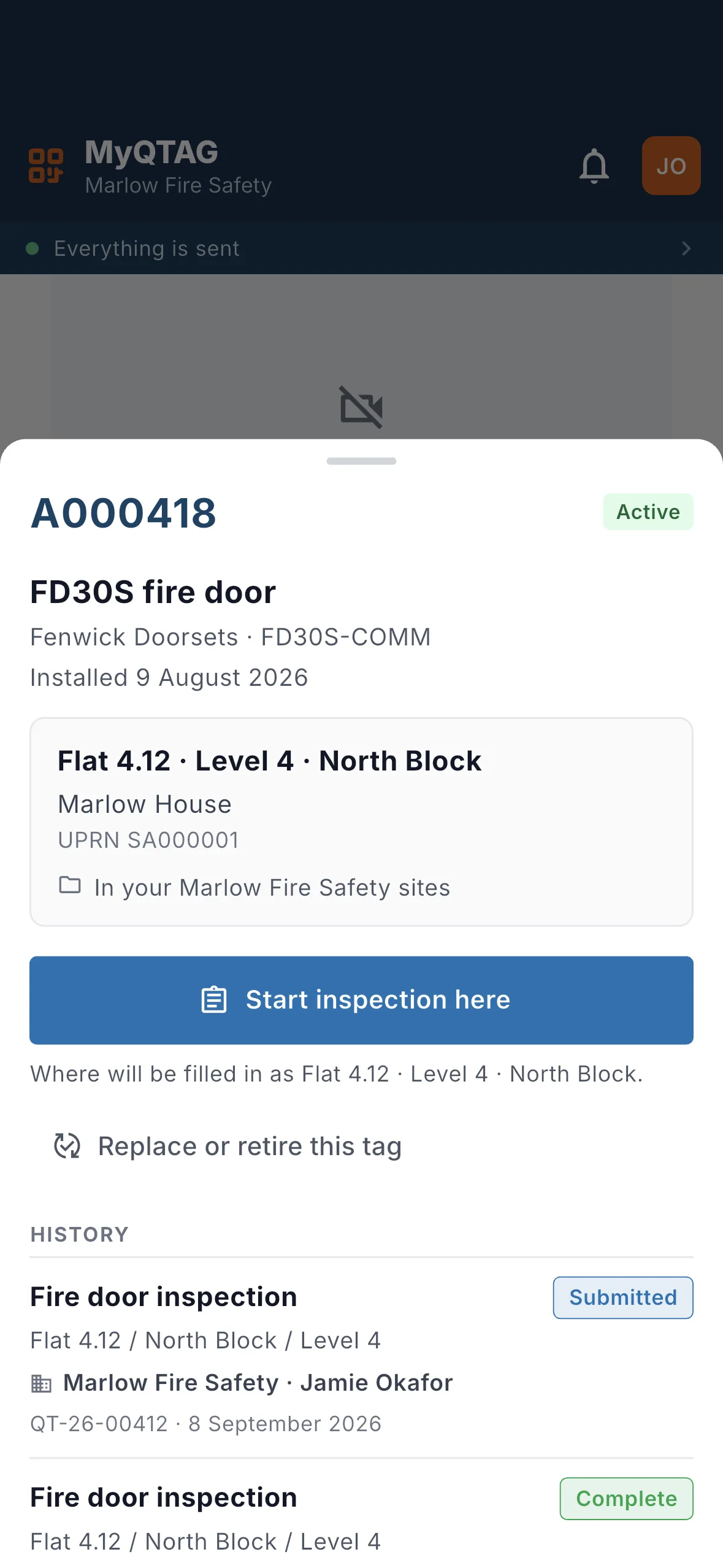
Fix a QTAG to the door and every later visit adds to the same record instead of starting a new one. Scan it with the phone's own camera and the door opens — what it is, when it was last checked, and what that visit found.
- One durable QR tag per door, ordered in the platform
- A scuffed label is replaced without losing the record behind it
- The history stays with the building, whoever inspected it
- Anyone can scan it — an operative lands in the app, everybody else sees the tag's public page
Screenshot pending
A QTAG label applied to the edge of a fire door
qtag-on-door · photo · 1440×960
a photograph — somebody has to take this one
The check
The check happens at the door, signal or no signal
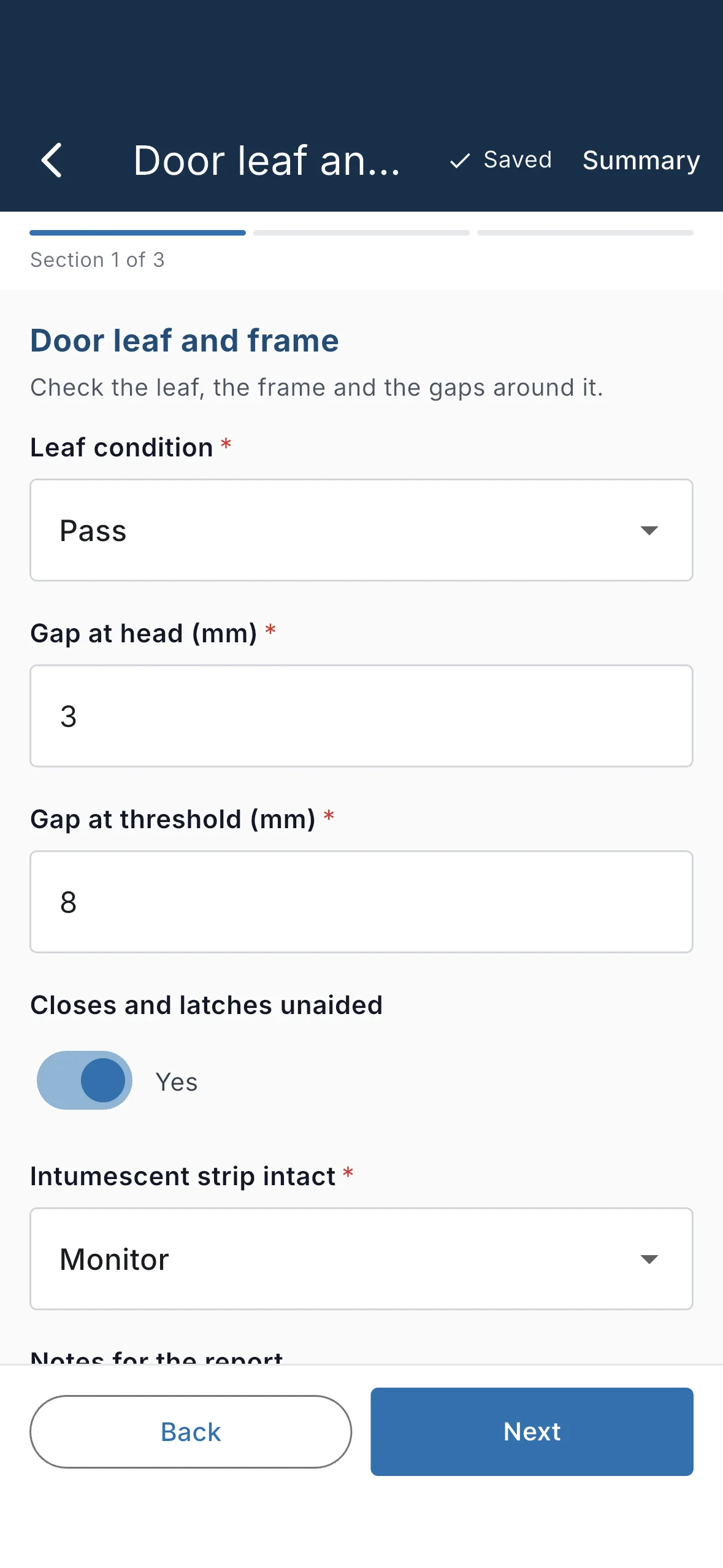
Your own form template, filled in on the phone in the corridor. Validation runs on the device and matches the server exactly, photos queue and upload on their own, and the submission carries a named person and a signature.
- Your form template, not ours — text, numbers, dates, ratings, photos and signatures
- Offline validation matches the server exactly
- Photos with time and place captured, uploaded in the background
- Every inspection kept, none overwritten
Where it is
Every door has an address, and a pin on the drawing
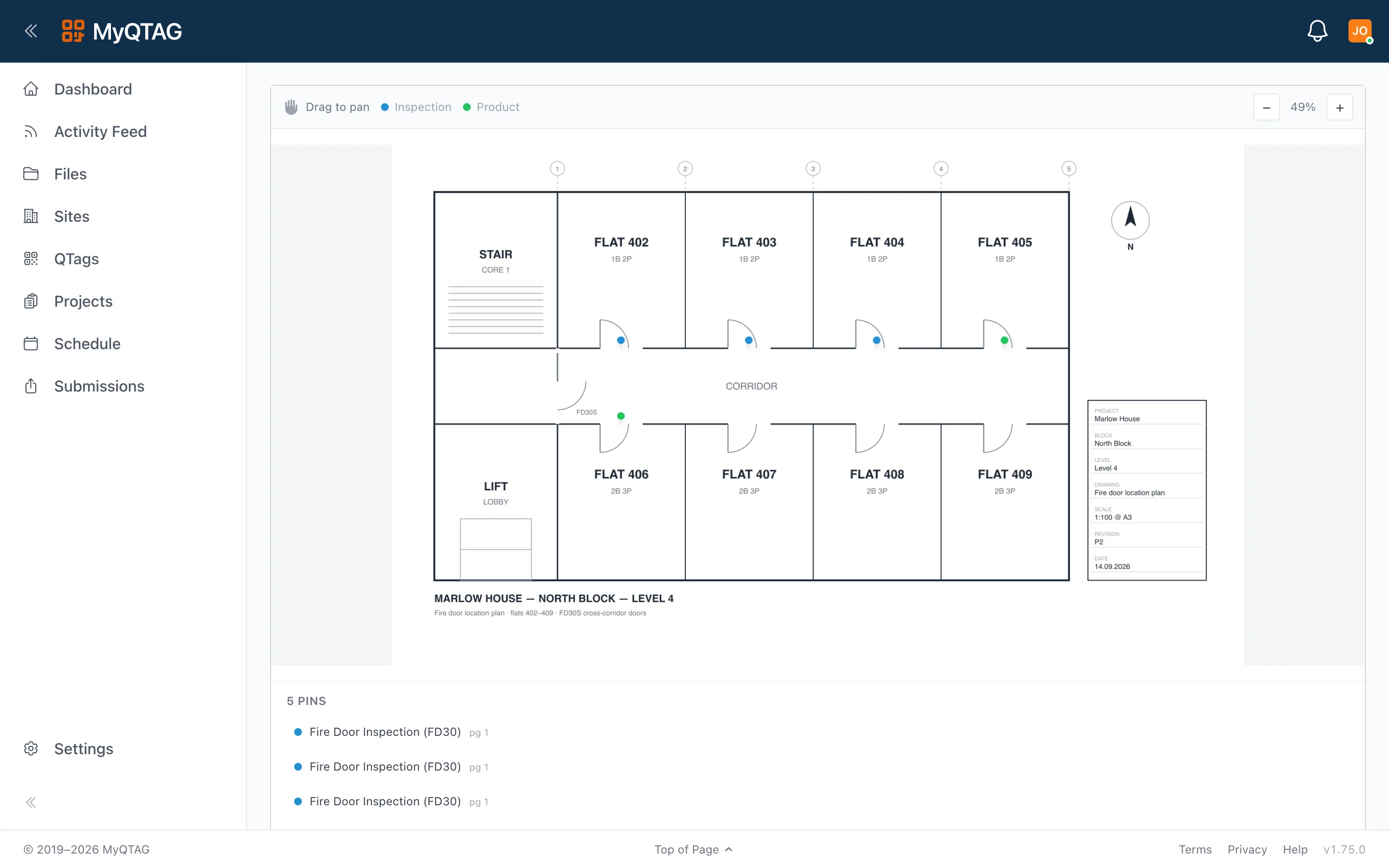
Site, block, floor and location on the record, and the door pinned to the page of the floor plan that floor owns. The approved report renders the callout, so the reader sees where the door is rather than reading a description of it.
- Multi-page PDF floor plans, one per floor
- Pins placed on the plan, on the phone or in the office
- The report shows the pin, not just the room name
Evidence
One register, and the report that comes out of it
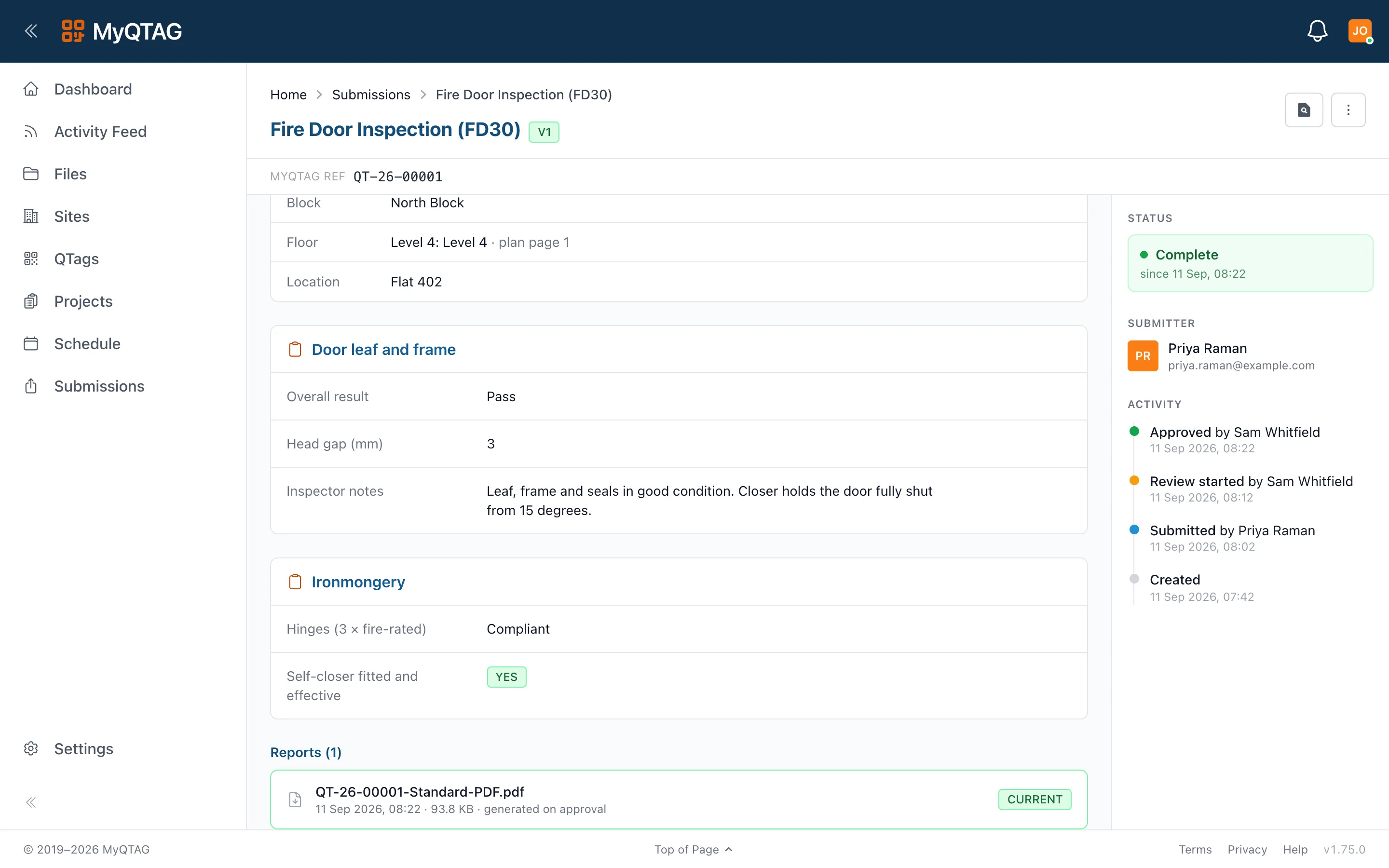
Completing a submission generates the branded PDF, with the floor-plan callout and the client's colours, filed against the project. Behind it sits a live register of every tagged door and every visit it has had.
- Per-client report branding, chosen per project
- Export templates and file naming you configure once
- Share links you can revoke, with a record of who opened what
- Five states, one lifecycle: draft, submitted, in review, issues, complete
Who it's for
The same record, read from both ends
Contractors
You produce the evidence
Surveys, installs, remedials and periodic checks captured on the phone, approved in the office, and handed to your client the same day.
See the contractor workflow
Building managers
You have to hold it
One live register of every fire door across the estate, with the history behind each tag — whoever inspected it, and whoever inspects it next.
See it from the estate side